Gacha Life Game: The Ultimate Character Creation & Storytelling Experience
Table of Contents
1. Game Overview & Development Background
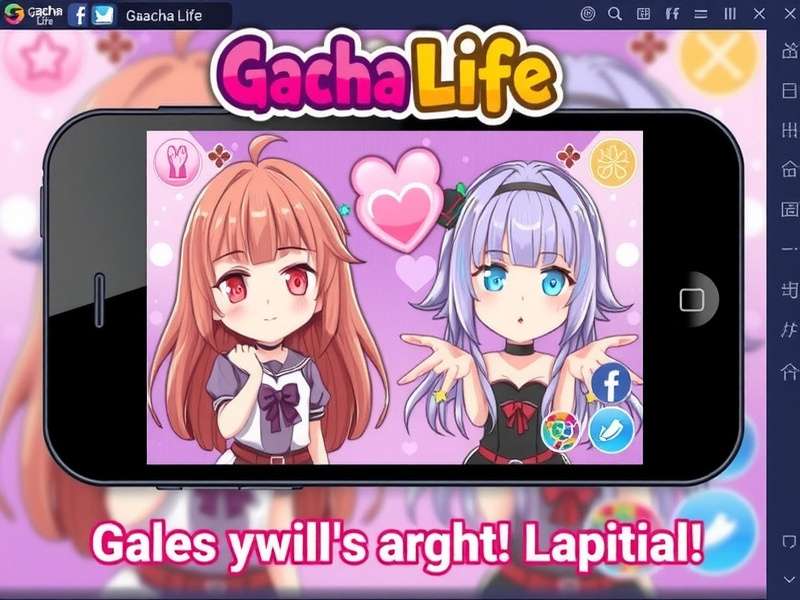
Gacha Life Game represents the evolution of Lunime's popular Gacha series, first released in October 2018 for iOS and Android devices. The game builds upon the success of previous titles like Gacha Studio and Gachaverse, offering significantly enhanced customization options and social features.
The Gacha Life Game development team, led by creator Luni, focused on creating a more accessible character creator while maintaining the depth that hardcore fans appreciate. According to developer interviews, the primary goal was to "democratize anime character creation" and "provide tools for storytelling without requiring artistic skills."
What sets Gacha Life Game apart from similar dress-up games is its dual focus: both as a character customization tool and a storytelling platform. Players can spend hours designing characters with precise facial features, unique hairstyles, and detailed outfits, then immediately use those characters to create animated scenes in Studio Mode.
Interestingly, the term "Gacha" refers to the Japanese capsule-toy vending machines, reflecting the game's randomized element when obtaining new items. However, Gacha Life Game has minimized pay-to-win mechanics compared to traditional gacha games, focusing instead on creativity and community.
2. Core Gameplay Mechanics & Features
Gacha Life Game offers multiple gameplay modes that cater to different player preferences:
2.1 Character Customization System
The heart of Gacha Life Game is its extensive character creator. Players begin with a base character and can modify:
- Physical Features: 20+ face shapes, 100+ eye designs, 50+ mouth options
- Hairstyles: Over 300 hair options with customizable colors (primary and secondary)
- Outfits: 500+ clothing items across categories (tops, bottoms, dresses, full outfits)
- Accessories: Hats, glasses, wings, weapons, and handheld items
- Pets & Companions: 50+ pets that follow characters
Pro Tip:
Use the "Random" button sparingly - while it can generate interesting combinations, the most memorable characters come from intentional design choices. Start with a personality in mind, then choose features that reflect that personality.
2.2 Studio Mode
Studio Mode transforms Gacha Life Game from a simple dress-up game into a storytelling tool. Features include:
| Feature | Description | Usage Tips |
|---|---|---|
| Scene Builder | Place characters, backgrounds, and props in customizable scenes | Use the layering system to create depth |
| Dialogue System | Add speech bubbles with customizable text and emotions | Match emotion icons to dialogue tone |
| Pose Library | 100+ pre-made poses for characters | Combine poses to create unique interactions |
| Animation Tools | Basic movement and transition effects | Use sparingly for emphasis |
Many players use Studio Mode to create Gacha Life Mini Movies - short animated stories shared on YouTube and social media. The most popular Gacha Life videos have garnered millions of views, creating an entire subculture of Gacha content creators.
2.3 Life Mode & Social Features
Life Mode allows players to explore different areas with their created characters:
- Chat with NPCs: Interact with pre-made characters for gems and items
- Mini-Games: 8+ simple games to earn currency
- Gacha Pulls: Use gems to get random new items
- Character Skits: Watch short interactions between characters
3. Character Creation Deep Dive
Creating memorable characters is the core appeal of Gacha Life Game. Advanced players recommend these strategies:
3.1 Color Theory Application
Professional Gacha Life Game artists suggest using complementary color schemes for character outfits. For example:
- Analogous colors (neighbors on color wheel) create harmonious designs
- Complementary colors (opposites) make characters "pop"
- Monochromatic schemes with different saturations add sophistication
3.2 Personality Expression
Every design choice should reflect character personality:
- Confident characters: Bold colors, direct gaze, upright poses
- Shy characters: Pastel colors, downward gaze, closed postures
- Magical characters: Sparkles, unique eye colors, flowing accessories
For more character inspiration, check out the Gacha Anime community, where players recreate popular anime characters using Gacha Life tools.
4. Studio Mode: Creating Mini Movies
Studio Mode is where Gacha Life Game transforms from a character creator to a storytelling platform. Here's a step-by-step guide to creating your first mini movie:
4.1 Planning Your Story
- Concept: Decide on a simple story (beginning, middle, end)
- Characters: Create or select 2-4 main characters
- Scenes: Plan 3-5 key scenes to tell your story
- Dialogue: Write concise dialogue (2-3 lines per character per scene)
4.2 Technical Execution
Use these professional techniques:
- Camera Angles: Change character sizes to simulate different shots
- Transitions: Use fade effects between emotional moments
- Pacing: Allow 3-5 seconds per dialogue box for readability
The Gacha Life Videos community on YouTube offers excellent examples of effective storytelling techniques.
Content Guidelines:
When creating Gacha Life mini movies, remember community guidelines. Avoid inappropriate content - the game is rated 9+ on app stores. Focus on creative storytelling rather than mature themes.
5. Download & Installation Guide
Gacha Life Game is available on multiple platforms:
5.1 Official Sources
- Android: Google Play Store (Free, with in-app purchases)
- iOS: Apple App Store (Free, with in-app purchases)
- APK: Official website (for devices without Google Services)
5.2 PC Installation
While there's no official Gacha Life PC version, you can play on computer using:
- Android Emulators: BlueStacks, NoxPlayer, or LDPlayer
- Steps: Install emulator → Download Gacha Life APK → Install and play
- Advantages: Larger screen, keyboard shortcuts, easier screenshot capture
Download Safety Tips:
Only download Gacha Life Game from official sources to avoid malware. Third-party sites may offer "modded" versions with "unlocked everything," but these often contain viruses or may get your account banned. The official free version provides plenty of content without risks.
5.3 Storage Requirements
| Platform | Minimum Storage | Recommended Storage | Version Size |
|---|---|---|---|
| Android | 200MB free | 500MB free | ~150MB |
| iOS | 250MB free | 600MB free | ~180MB |
| PC (via emulator) | 1GB free | 2GB free | ~300MB total |
6. Update Log & Version History
Gacha Life Game receives regular updates adding new content and features:
6.1 Latest Update: Version 1.1.4 (February 2026)
- New Content: 30+ winter-themed clothing items
- Quality of Life: Improved character saving system
- Bug Fixes: Resolved crashing issues on Android 14+
- Optimization: 20% reduction in load times
6.2 Version Comparison
| Version | Release Date | Major Additions | File Size |
|---|---|---|---|
| 1.1.4 | Feb 2026 | Winter items, performance improvements | 152MB |
| 1.1.3 | Nov 2025 | Halloween event, 20+ accessories | 148MB |
| 1.1.2 | Aug 2025 | Back-to-school items, new poses | 145MB |
| 1.1.1 | May 2025 | Summer collection, bug fixes | 140MB |
| 1.1.0 | Jan 2025 | Major UI overhaul, new Studio features | 135MB |
Some players still enjoy the Gacha Life Antiguo (old version) for its classic interface, though it lacks newer features.
7. Exclusive Tips & Advanced Strategies
7.1 Gem Farming Efficiency
Gems are the premium currency in Gacha Life Game. Maximize your earnings:
- Daily Login: 5-25 gems per day (increasing streak bonus)
- Mini-Games: "Phantom's Remix" offers fastest gem yield (15 gems/win)
- NPC Interactions: Each NPC gives 1-3 gems when chatted with daily
- Watch Ads: Optional video ads provide 5 gems each (max 50/day)
7.2 Character Design Pro Tips
Design Secret:
Use the "Adjust" feature to slightly modify preset items. Changing the size, position, or rotation of accessories can create unique looks that stand out from typical designs.
7.3 Studio Mode Shortcuts
- Quick Duplicate: Hold character + drag to copy
- Layer Management: Use the eye icon to hide/show elements
- Quick Save: Always save scenes before adding complex elements
8. Frequently Asked Questions
8.1 Technical Issues
Q: Why won't Gacha Life Game load on my device?
A: Common solutions include: 1) Clear app cache (Settings → Apps → Gacha Life → Storage → Clear Cache), 2) Ensure 500MB+ free storage, 3) Update device OS, 4) Reinstall the app (save data first).
Q: Is Gacha Life Game safe for children?
A: The official game is rated 9+ and contains no explicit content. However, parental supervision is recommended for online features and community content. Use the "offline mode" for younger players.
8.2 Gameplay Questions
Q: How do I get more gems without paying?
A: Complete daily tasks, play mini-games, watch optional ads, and interact with all NPCs daily. Consistent play yields 100-200 free gems weekly.
Q: Can I transfer my data to a new device?
A: Yes! Use the "Export" feature in Settings to create a transfer code. On new device, use "Import" and enter the code. Codes expire after 30 days.
8.3 Community Questions
Q: What's the difference between Gacha Life and Gacha Club Free?
A: Gacha Club is the sequel with more RPG elements, battles, and deeper customization. Gacha Life focuses on storytelling and character creation. Both are free with optional purchases.
9. Community & Social Features
The Gacha Life Game community is one of its strongest assets:
9.1 Online Communities
- Reddit: r/GachaLifevideos (250k+ members)
- YouTube: #GachaLife hashtag (5B+ views total)
- Discord: Official Lunime server (50k+ members)
- Instagram: @GachaLifeCommunity (fan-run)
9.2 Content Creation
Successful Gacha Life Game creators recommend:
- Consistency: Post 1-2 times weekly
- Quality: Spend time on character design and storytelling
- Interaction: Respond to comments and collaborate
- Originality: Create unique characters rather than copying trends
Explore the Gacha Life Club for organized community events and competitions.
Rate This Article
How helpful was this Gacha Life Game guide?