Gacha Life 2 Tutorial: The Ultimate Mastery Guide for Aspiring Creators
Welcome to the most comprehensive Gacha Life 2 tutorial on the web! Whether you're a total newbie or a seasoned Gacha veteran, this guide will walk you through every nook and cranny of the game, unlocking creative potentials you never knew existed.
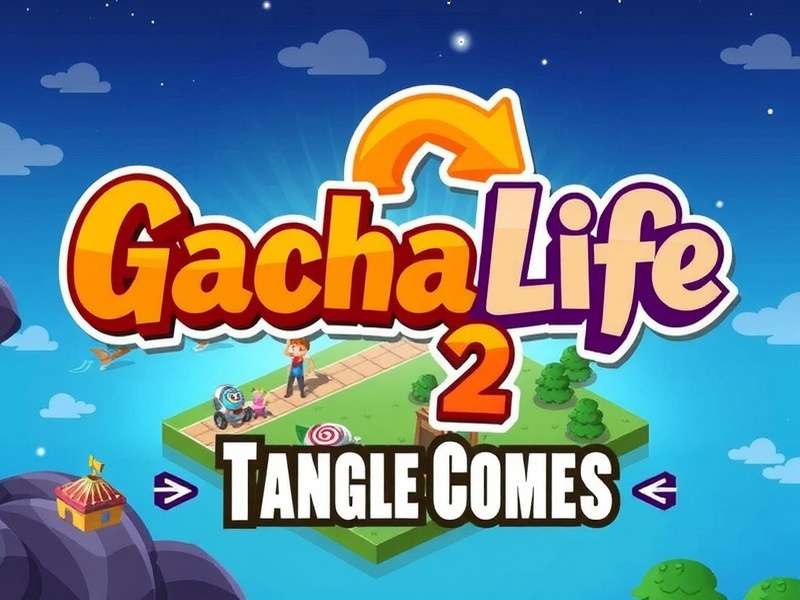
1. Getting Started: First Steps in Gacha Life 2
So, you've just downloaded Gacha Life 2. The excitement is real! Before you dive into creating your first character, let's get the basics down pat. Unlike its predecessor, Gacha Life 2 boasts a significantly expanded asset library, smoother UI, and enhanced studio features. Many players jump straight into character creation, but understanding the core layout will save you hours later.
1.1 Navigating the Main Menu
The main hub is your gateway to everything. You'll find the following sections:
- Dress Up: The heart of the game. Here you craft and customize every aspect of your avatar.
- Studio: Where storytelling magic happens. Pose characters, add backgrounds, and create scenes.
- Gacha: The classic gacha mechanic. Spend gems to obtain rare items, hairstyles, and accessories.
- Mini Games: A fun way to earn extra gems and currency.
- Settings: Adjust audio, language, and game preferences.
If you're coming from the original, you'll appreciate the streamlined workflow. For a completely different experience, some players enjoy Gacha Life 2 Free Play on browser platforms, which offers instant access without installation.
1.2 Understanding Currency: Gems and Gold
Two primary currencies drive your progress: Gems (premium, mostly from gacha pulls and achievements) and Gold (earned from mini-games and daily logins). Managing these wisely is key. Don't blow all your gems on a single banner! The game often has events with increased drop rates for specific items.
2. Deep Dive: Advanced Character Creation
This is where Gacha Life 2 truly shines. The character creator is a powerhouse. We're talking over 20 adjustable face parts, hundreds of clothing layers, and a color palette that would make a rainbow jealous.
2.1 Building Your Base Avatar
Start with the head and face shape. Pro creators often spend significant time here, as the foundation affects how every accessory sits. Adjust cheekbones, jawline, and eye size with precision. Remember, subtlety is key—extreme adjustments can look uncanny.
Eyes: The Windows to the Soul
Eyes carry emotion. Gacha Life 2 provides dozens of eye types, each with separate iris, pupil, and highlight layers. You can even adjust the eye shine direction to change the character's perceived focus. For inspiration, check out our gallery of Gacha Life Pictures Boys and Girls to see how top creators use eyes to tell a story.
2.2 Fashion & Style: Dressing to Impress
Outfits define personality. The layering system allows for incredible depth—wear a shirt under a jacket, add a belt over a skirt, and top it off with multiple accessories. The Gacha Life Outfits For Boys guide is particularly popular, as male fashion options have expanded dramatically in GL2.
3. Studio Mode: Crafting Your Narrative
Studio mode is where static characters become dynamic storytellers. Think of it as a simple animation and comic creation suite.
Start by adding characters to the stage. Each can be posed independently using a robust pose slider system. You can adjust individual arm and leg positions, facial expressions, and even the direction they're looking. The background library is vast, but you can also import custom images for truly unique scenes.
For those interested in the broader genre, understanding What Is Gacha can provide context on how these creative tools fit into the larger gaming landscape.
4. The Gacha System: Pulls, Rates, and Strategy
The gacha mechanic is a core pillar. You spend gems to get random items. While it's tempting to pull constantly, strategic saving is crucial.
- Common Pool: Always available. Good for filling out your basic collection.
- Limited Banners: Run for a set time and feature boosted rates for specific theme items (e.g., "Celestial Ball" or "Cyberpunk").
- Pity System: While not officially confirmed by Lunime, community data suggests a soft pity after a certain number of pulls without a rare item.
If you enjoy the thrill of the pull, you might also explore other titles in the Gacha Gaming universe.
5. Platform-Specific Tips & Tricks
Gacha Life 2 is available on multiple platforms. Performance and controls vary.
5.1 Mobile (iOS/Android)
The touch interface is intuitive. Use two fingers to rotate characters in the studio. Enable "High Quality" mode in settings if your device can handle it for better visuals.
5.2 PC
Mouse and keyboard allow for finer control, especially in studio mode. Consider using an emulator if you prefer playing on a bigger screen.
5.3 Fire Tablet
For Amazon Fire users, follow our dedicated Gacha Life 2 Download For Fire Tablet guide to ensure a smooth installation from the Amazon Appstore.
6. Community Guidelines & Safety
The Gacha community is vibrant and creative. However, it's important to play and share responsibly. Avoid creating inappropriate content. Be wary of unofficial mods or "hacks" that promise free gems—they often compromise your account. Unfortunately, searches for terms like Gacha Life Sexo or Sexo Gacha Life sometimes lead to unsafe content; always stick to official channels and respectful creation.
7. Taking It to the Next Level
You've mastered the basics. What now? Join the community! Share your characters on social media, participate in challenges, and watch tutorials from other creators. The Gacha Club game also offers a different set of tools and assets that can complement your GL2 skills.
Remember, Gacha Life 2 is a sandbox. Your creativity is the only limit. Whether you're making casual avatars or elaborate story-driven movies, the tools are in your hands.
For immediate play without download, you can also try the Gacha Life Online Game version, which is great for quick sessions and testing ideas.