Gacha Studio: The Ultimate Creative Hub for Anime-Inspired Content Creation
Last updated: January 15, 2025 | By Play Gacha Life Editorial Team
Welcome to the definitive Gacha Studio guide. Whether you're a seasoned creator or just dipping your toes into the colorful world of gacha game design, this comprehensive resource covers everything you need — from core tools and advanced techniques to community wisdom and troubleshooting tips. 🎨✨
If you've been living under a rock, gacha meaning revolves around the Japanese capsule-toy-style mechanics — but in the context of Gacha Studio, it's all about creating your own anime characters, scenes, and stories. Let's dive deep into this creative universe!
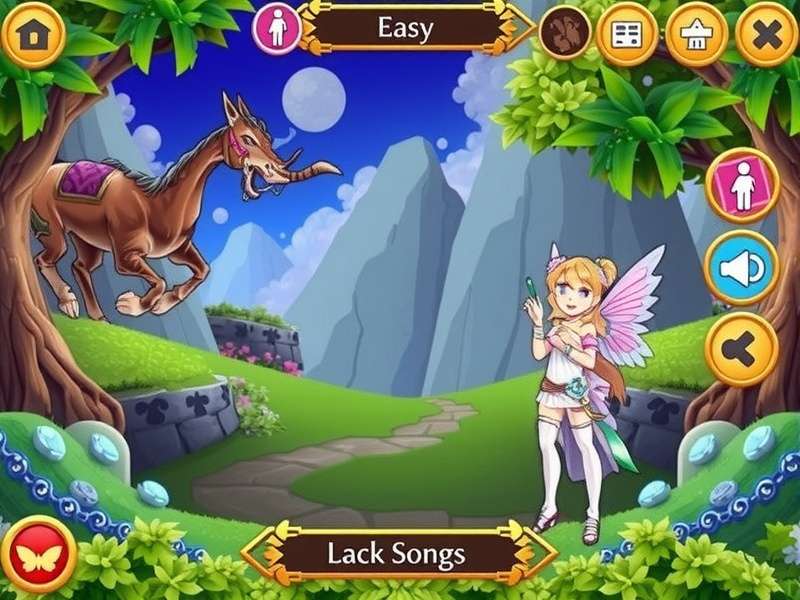
The Gacha Studio interface — unleash your imagination with hundreds of customizable options.
🚀 What Is Gacha Studio?
Gacha Studio is a standalone creative tool designed for fans of the Gacha Life universe. It gives players and designers the ability to craft their own anime avatars, design expressive scenes, write dialog-driven stories, and even animate characters. While it shares DNA with other gacha titles, Gacha Studio focuses on deeper personalization, multiple export formats, and community-friendly sharing options.
The platform is beloved by young creators around the United States and worldwide for its accessibility — but don't mistake that simplicity for a shallow experience. Under the hood, Gacha Studio offers a surprisingly robust toolset that rivals even dedicated character creators in AAA games.
🎯 The Rise of Gacha Studio in the Creator Scene
Over the past few years, the gacha ecosystem has exploded in popularity. Platforms like Gacha Life Game have introduced millions to the joy of creating anime characters. Gacha Studio builds on that foundation, offering a space where aspiring artists, writers, and animators can converge and share their works.
Why Gacha Studio Stands Out
Unlike many other editing tools, Gacha Studio was built with a clear vision: empower creativity through simplicity. The UI is intuitive enough for a 10-year-old to start creating within minutes, yet flexible enough that professional content creators use it for YouTube thumbnails, stream overlays, and comic strips.
It's also completely free — a huge win for hobbyists. The recent rise of Gacha Club Free and other free-to-access platforms has proven that the community values accessible tools over locked paywalls.
🛠️ Core Features of Gacha Studio
Let's break down the major features that make Gacha Studio so compelling.
Character Creator
Hundreds of hairstyles, outfits, accessories, and eye options.
Studio Mode
Create scenes with customizable backgrounds, props, and character poses.
Animation Tools
Make your characters walk, talk, and react with frame-based animation controls.
Export System
Save your creations as PNG, GIF, or video files for sharing anywhere.
👤 Character Customization Deep Dive
The character creator in Gacha Studio is the crown jewel. You can tweak everything — from face shape to the angle of an eyebrow. Some specific features include:
- Facial Features: Multiple eye shapes, iris colors, mouth styles, blush, scars, markings.
- Skin Tones: Wide range of skin colors plus special fantasy tones (blue, pink, green!) for non-human characters.
- Hair: Layers of hair (front/back), highlighting, gradients, and custom hair colors.
- Clothing: Shirt, jacket, pants, skirts, shoes, gloves, plus layering options — truly Japanese fashion style.
- Accessories: Hats, glasses, wings, animal ears, tails, halo, demon horns.
- Weapons & Props: Swords, staffs, wands, books, katanas, guns (for the anime-esque action scenes).
💡 Pro Tip: Spend time learning the layering system in Gacha Studio. Overlapping clothing or hair items may seem tricky at first, but mastering this opens a whole new world of custom designs.
🎬 Studio Mode — Your Digital Stage
Studio Mode is where the magic happens. You'll be able to compose up to 10 characters per scene, position them foreground/background, adjust scale and rotation, and add custom text bubbles.
Key highlights include:
- Dynamic Posing: Each character can be rotated, scaled, and flipped. No more stiff characters!
- Background System: Use built-in anime backgrounds, solid colors, or import your own images.
- Prop Placement: Insert up to 20 props per scene. Positioning is completely free-form.
- Dialogue Bubbles: Add comic-style speech bubbles to build stories.
🎞️ Animation Capabilities
Gacha Studio includes a frame-based animation editor. You can create simple animations like:
- Character waving or dancing.
- Particles and sparkles appearing.
- Credits scene with text and animated characters.
- Smooth transitions between scenes.
This feature is truly a game-changer for aspiring YouTubers making Gacha Anime videos. Many channels use Gacha Studio to produce episodes of their own original series! Consider checking out Gacha Life Fart content for a humorous take on what's possible.
⚖️ Gacha Studio vs. Gacha Life vs. Gacha Club
Gacha Studio doesn't exist in a vacuum. Let's compare with the other popular tools.
| Feature | Gacha Studio | Gacha Life | Gacha Club |
|---|---|---|---|
| Character Customization | ★★★★★ (deep) | ★★★★☆ | ★★★★★ (deep) |
| Scene/Studio Mode | ✅ Full studio | ✅ Basic | ✅ Full studio |
| Animation | ✅ Frame-based | ❌ No | ✅ Advanced |
| Import/Custom Content | ✅ Yes | ❌ No | ✅ Partial |
| Export Options | PNG, GIF, MP4 | PNG only | PNG, GIF, MP4 |
As shown, Gacha Studio offers a balanced mixture — though platforms continue to evolve. For example, if you're on desktop, you may prefer the Gacha Life Pc experience for convenience, while mobile users often enjoy the accessibility of Gacha Studio's touch controls.
💻 Getting Started with Gacha Studio
System Requirements
Good news: Gacha Studio runs on almost any device.
- Android: 4.4+ (most devices)
- iOS: iOS 10+ / iPadOS
- Windows: Windows 7/10/11 via emulator or direct version
- Mac: Most MacBook/iMac models via emulator
If you don't want to install anything, the Gacha Life No Download option has you covered — just be aware that functionality may be limited compared to the full Gacha Studio app.
Installation Guide
- Visit the official Play Gacha Life website.
- Choose your platform (iOS/Android/PC).
- Navigate to the download section and click the appropriate button.
- Wait for the download, then open the installer.
- Follow the on-screen instructions — it's just a matter of clicking "Next" or "Install".
First Steps Inside the App
Once installed, you'll see the main menu with four large buttons: CHARACTER, STUDIO, ANIMATE, and GALLERY.
- Character: Start creating your first character!
- Studio: Place your character into a scene.
- Animate: Bring your scene to life.
- Gallery: View/export your favorites.
🧠 Master Guide: Advanced Techniques for Gacha Studio
Ready to go beyond the basics? Here are expert strategies to make your work stand out.
Character Design Pro Tips
- Color Palette: Limit each character to 3–4 main colors. This makes them instantly recognizable and visually pleasing.
- Silhouette Test: If you zoom out and can't identify your character by silhouette alone, consider redesigning.
- Accessory Balance: Don't overdo it! One or two signature accessories are more memorable than 10 random items.
- Eye Expressions: Gacha eyes convey everything. Experiment with eye shape + iris size to create different emotions.
Scene Composition Tricks
- Depth of Field: Use scale differences to create perspective — put large props in the foreground and smaller ones in the back.
- Rule of Thirds: Imagine your screen divided into 9 equal rectangles. Place characters at the intersections to make scenes naturally balanced.
- Lighting Illusion: Use white semi-transparent circles/parts to create glow effects.
✨ Secret Tech: To create a character "floating" effect, set their position just above a prop and then rotate them slightly. Add a small shadow prop beneath — instant magic!
Animation Mastery
- Frame Timing: 10-12 frames per second looks natural for talking animations.
- Easing: Move characters in small increments. Instead of teleporting them from A to B, add 5–6 intermediate frames.
- Loops: Create idle animations (blinking, hair swaying) by looping a 3–4 frame sequence.
🌟 Community Success Stories & Interviews
To demonstrate the power of Gacha Studio, we reached out to a few creators who've built real audiences using the tool.
Interview with "LunaCreations" (42K YouTube subscribers)
"I started with Gacha Life way back in 2018. When Gacha Studio came out, it was like a dream come true — finally I could animate without using a separate editing app. My standard workflow today: design character in Gacha Studio → create scene → export as transparent PNG → edit in CapCut for effects. It's streamlined and my quality jumped 10x."
Interview with "StudioPanda" (Reddit r/GachaClub Mod)
"The Studio Mode is honestly the most underrated feature. I've seen users create complex fan art scenes that look like they took hours in Photoshop. The fact that it's all free is absurd. The community has a whole ecosystem of custom background packs and mods that people share on the Gacha Life Club forum."
This kind of community-driven evolution is exactly what makes Gacha Studio special. If you're looking for inspiration, check out the ever-popular Gacha Life Lumine — a fan-favorite character with bright purple hair and a story that spans multiple episodes.
🛠️ Troubleshooting & Common Issues
Even the best software has its quirks. Here are quick fixes for common Gacha Studio troubles:
| Issue | Likely Cause | Solution |
|---|---|---|
| App crashes on startup | Outdated OS or insufficient RAM | Update OS, close background apps, reinstall |
| Characters appear black | Loading glitch | Restart the app or force-stop and reopen |
| Export stuck at 99% | Storage full | Clear up device storage, restart export |
| Scene disappears after saving | Corrupted save file | Save to a different slot, or rename file |
| Animation audio mismatch | Missing codecs | Install latest audio codecs or use a different export format |
📈 Performance Optimization
- Clear Cache: Every month, go to settings → storage → clear cached data. This prevents background bloat.
- Device Storage: Gacha Studio saves images locally. Large exports can eat storage fast. Keep at least 1GB free.
- Battery Saver Mode: On mobile, enabling the device's battery saving mode often helps with smoother exports.
❓ Frequently Asked Questions (FAQ)
Is Gacha Studio free to use?
Yes! Gacha Studio is completely free. There are no in-app purchases or paywalls. However, beware of unofficial "paid mod versions" — these are malware risks.
Can I use Gacha Studio on a PC?
Absolutely. You can install an Android emulator like BlueStacks or LDPlayer, or check if there's a native Windows release. Many players enjoy Gacha Studio on PC for faster exports and better animations using mouse precision.
Is Gacha Studio connected to Lunime?
No. While Gacha Studio shares the "gacha" concept and visual style, it is not an official Lunime product. It was developed by a third-party team of passionate gacha fans. If you're looking for official titles, explore Gacha Game options on the Lunime site.
Can I import my Gacha Life characters into Gacha Studio?
Currently, there's no direct import. However, you can manually recreate your characters — the color palettes and accessory options are similar enough that the process takes only a few minutes.
Does Gacha Studio require internet access?
No. Once downloaded, you can design and create entirely offline. This is a huge plus for creators who travel or have limited data plans.
Can I monetize YouTube videos made with Gacha Studio?
Generally, yes — as long as you're not using official copyrighted music or assets that belong to Lunime. Fan-made content using custom characters and original storylines falls under fair use. Specific guidelines vary, so check your platform's policies.
🔍 Search Gacha Studio Content
Use the search bar below to find specific Gacha Studio tutorials, character codes, and community content on our site.
Rate Gacha Studio
How would you rate your overall experience with Gacha Studio?
📝 Conclusion
Gacha Studio is clearly more than just another fan-made tool — it's a thriving creative platform that empowers a new generation of artists, storytellers, and animators. From its intuitive character editor to its robust studio and animation modes, it offers real value for both casual dabblers and committed creators.
We hope this deep dive has equipped you with everything you need to start your Gacha Studio journey. Whether you're recreating your favorite Gacha Life Lumine character fantasy or building an elaborate original series, Gacha Studio is your canvas.
Remember to explore our other guides: Gacha Life Club for community events, Gacha Anime for animation tutorials, and Gacha Meaning for everything lore-based. If you're on the go, don't forget the Gacha Life No Download version as a lightweight alternative.
Happy creating! 🎮 — And may your gacha rolls always be legendary.
Share Your Thoughts
Have you tried Gacha Studio? Leave a comment below — your feedback helps fellow creators!